 bashynx
fb3c01cdd7 The dashboard (Raspberry Pi 3.5" screen + web pages), the end-to-end encrypted sync mailbox (PHP + SQLite) and the Android companion app (Flutter), with docs, clean-install checks and screenshots made from demo data. Built mostly with an AI coding assistant; not yet reviewed line by line by a human (see README and SECURITY.md). Co-Authored-By: Claude Opus 5.5 <noreply@anthropic.com> |
||
|---|---|---|
| .. | ||
| plugins | ||
| static | ||
| templates | ||
| .gitignore | ||
| auth.py | ||
| backlight.py | ||
| config.py | ||
| dash.py | ||
| dash_config.example.json | ||
| dashboard.service | ||
| install.sh | ||
| panel.py | ||
| pluginhost.py | ||
| README.md | ||
| requirements.txt | ||
| screens.py | ||
| settings.py | ||
| store.py | ||
| sync.py | ||
| syncdb.py | ||
| system.py | ||
| touch.py | ||
| web.py | ||
| webview.py | ||
The dashboard
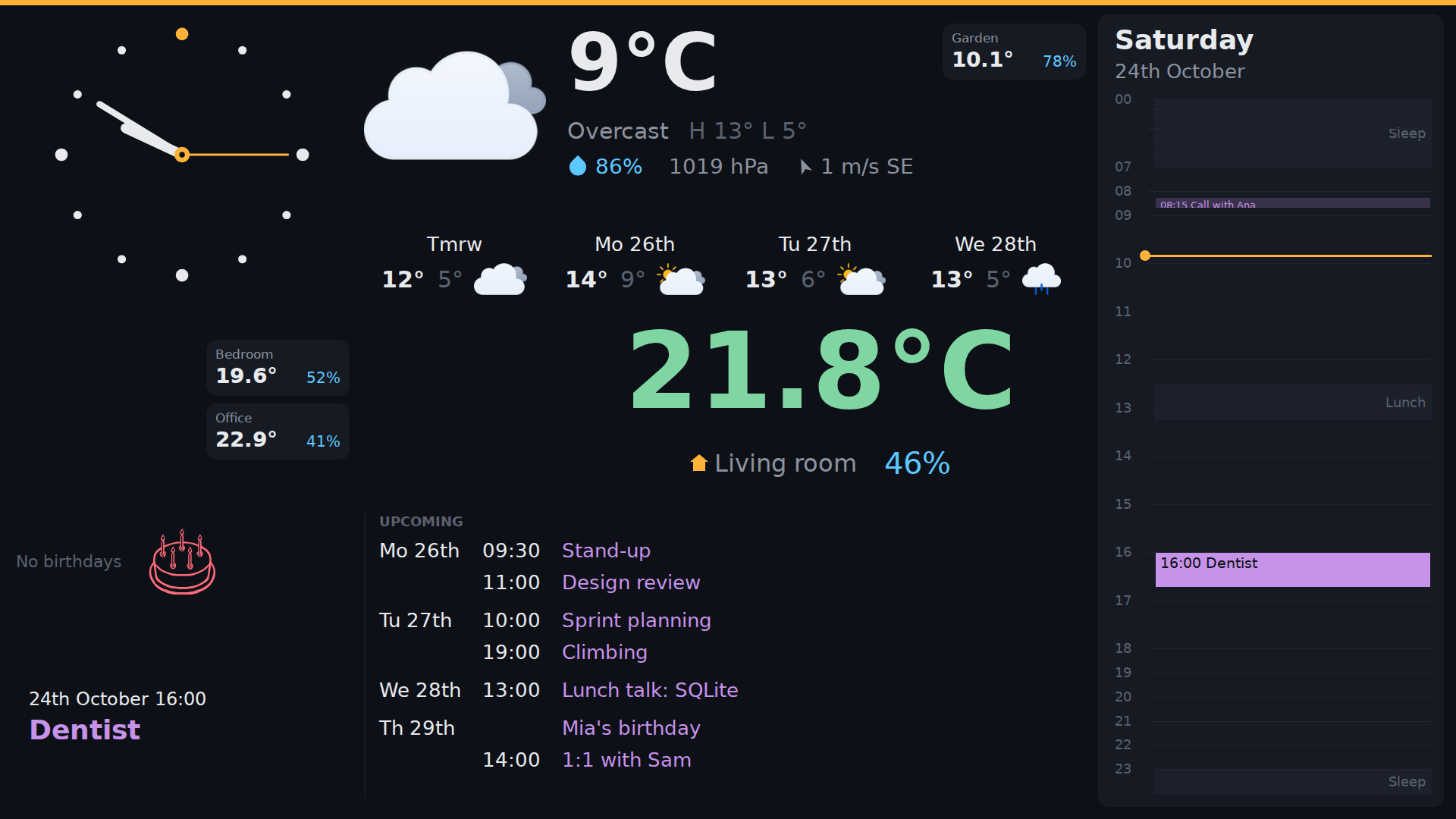
One Python process. It draws the 3.5" touch screen of a Raspberry Pi straight to the framebuffer (no desktop needed) and serves the same data as web pages for a TV, a laptop or a phone. Everything past the clock is a plugin, and everything is set up in the browser (Settings).
Install
On Raspberry Pi OS or Debian 12 / 13:
git clone https://git.hackman.club/HackmanClub/dashboard.git dashpi && cd dashpi
sudo ./dashboard/install.sh               # a Pi with the 3.5" screen (found by itself; else web pages only)
sudo ./dashboard/install.sh --headless    # any other computer: web pages only
It installs the Debian packages and copies this folder to /opt/dashboard. It also writes
dash_config.json from the example, gives you the bundled food database, and starts the dashboard
service. Then:
- Open
http://<the machine>:8080/settings. - Create the admin account. It asks for the setup code from the log:
journalctl -u dashboard | grep 'setup code'. - Set up the rest in Settings: weather place, calendars, sensors, plugins, users, sync.
To update, git pull and run install.sh again. Your dash_config.json and dash_data/ are never
touched. The whole guide (the screen's overlay, the sensors, backups, moving to a new machine) is in
../docs/dashboard.md.
Try it without installing (any Linux with Python 3.11+):
pip install -r requirements.txt           # or the python3-* packages listed in it
cp dash_config.example.json dash_config.json
python3 dash.py --headless                # → http://localhost:8080/
Or see it with demo data: python3 ../docs/screenshots/make.py --keep (log in as demo /
demo-password-1).
What's in it
| Plugin | What it does | Its data |
|---|---|---|
weather (built in) |
Open-Meteo for your place + up to 6 more: Home, the weather page, the 3.5" screen; the places sync to the app | dash_data/weather/ |
calendar (built in) |
ICS feeds, Nextcloud / CalDAV, the dashboard's own Local calendar; week and month pages, Home's day view, the 3.5" agenda | dash_data/calendar/local.db |
stations (built in) |
Room sensors from Home Assistant, MQTT, a JSON URL, a DS18B20 or termix; graphs from 24 hours to a year | dash_data/stations/readings.db |
health |
Body measurements; sleep, heart rate, steps and workouts from a band (Gadgetbridge export or the app's relay, Mi Fitness export) | dash_data/health/ |
food |
A food diary from the bundled food database (USDA + shop products), targets, nutrients | dash_data/food/ |
cycle |
Period tracking: cycle and period lengths, the next periods, optionally the fertile window | dash_data/cycle/ |
workload |
Time per customer / project / task, booked like calendar events; billable, rates, a report | dash_data/workload/ |
activity |
What you did on your computers, from ActivityWatch, sorted into categories by rules | dash_data/activity/ |
notes |
Markdown notes with folders, tags, checklists, search; synced with the app | dash_data/notes/ |
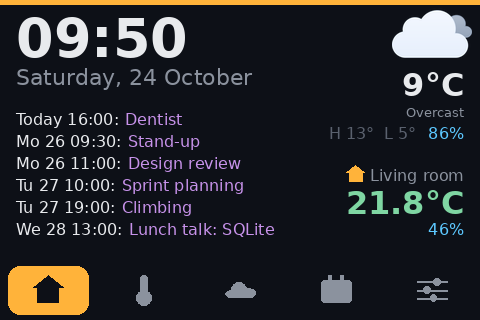
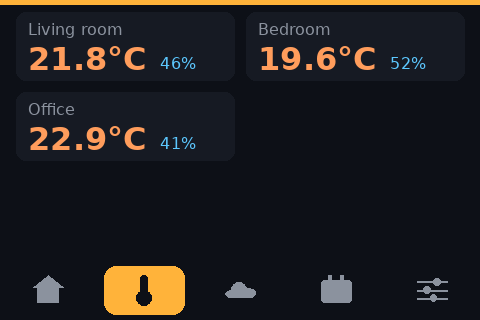
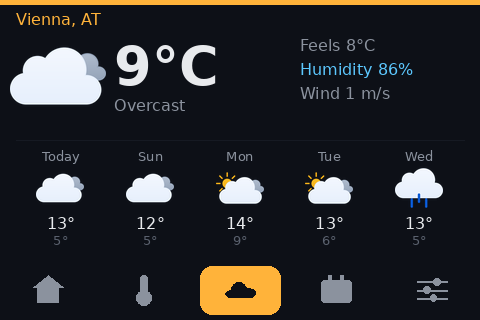
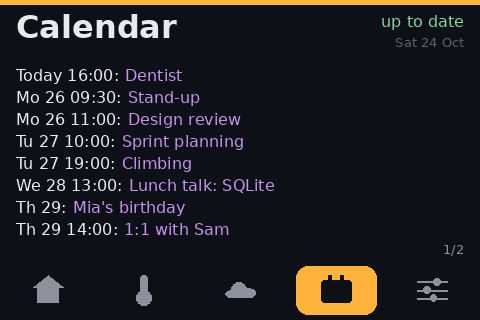
The 3.5" screen shows Home, the sensors, the weather and the calendar:
Files
dash.py            the main loop: the screen, touch, the workers; starts web.py
web.py             the web pages and their API (Flask)
pluginhost.py      what a plugin can do (ctx) — read this before writing one
screens.py         the 3.5" Home + Settings screens; panel.py draws, touch.py reads the touch screen
settings.py        Settings ▸ General / Calendar / Weather (the form) → dash_config.json
system.py          web address, screen, backup / restore
auth.py            users, logins, the household view
sync.py, syncdb.py the end-to-end encrypted sync (server/PROTOCOL.md)
store.py, config.py the shared state; paths, fonts, the theme
plugins/<name>/    one folder per plugin: __init__.py (META + register), templates/, static/, its db code
install.sh         install / update on Debian; dashboard.service is its template
How it fits together: ../docs/architecture.md. Writing a plugin: the
docstring at the top of pluginhost.py and any plugin in plugins/ as an example.
Configuration
Everything is in Settings and saved in dash_config.json (mode 600, it holds passwords). The data is in
dash_data/. Settings ▸ General ▸ Backup downloads both as one file and restores them. Some knobs exist only
for the command-line tools: FOOD_COUNTRIES for plugins/food/off.py, DASH_TZ for
plugins/health/mi.py.