# dashPi
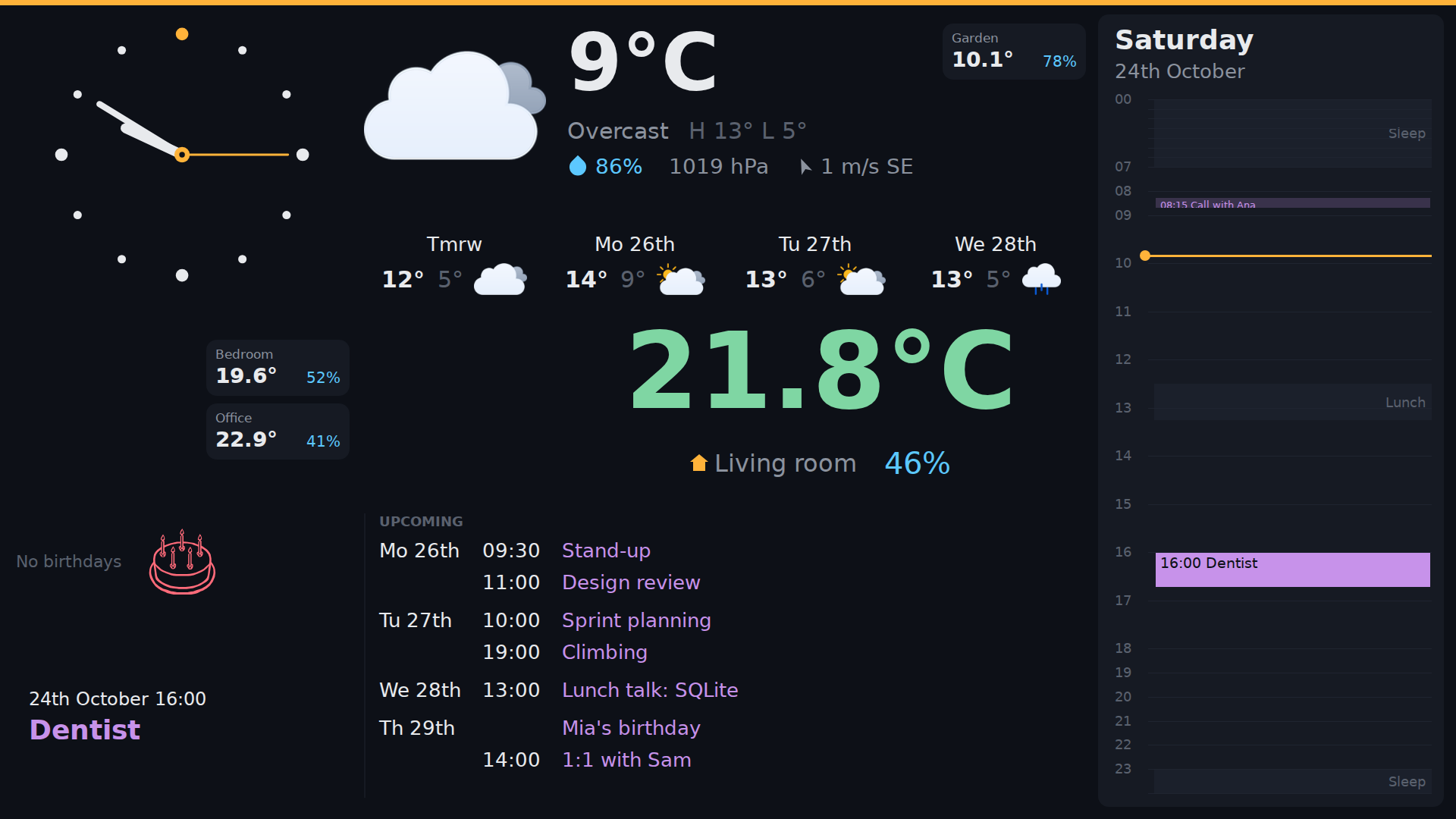
A self-hosted home dashboard that runs on a Raspberry Pi with a small 3.5" touch screen and serves the
same information as responsive web pages for a wall TV, a laptop or a phone. A companion Android app works
offline and syncs with it through a small server you host yourself. The sync is end-to-end encrypted, so
the server can't read your data.
> **Status — please read.** This is a hobby project, built mostly with an AI coding assistant
> (Claude Code), and **the code has not been reviewed line by line by a human**. It runs daily on one
> household's Pi and has the tests and checks in [docs/testing.md](docs/testing.md) (clean installs on
> Debian 12 and 13, an end-to-end sync against a fresh server). Still, treat it as you would any
> unreviewed code: keep the dashboard on your home network, read [SECURITY.md](SECURITY.md), and look at
> what you run. Reviews and issues are very welcome.
## What it does
**On the dashboard:**
- Clock, weather (Open-Meteo, no key) and a 14-day forecast.
- Your calendars: ICS feeds (Google, Outlook, holidays), Nextcloud / CalDAV, and the dashboard's own
Local calendar.
- Room sensors: Home Assistant, MQTT, any JSON URL (ESPHome, Tasmota…) or a DS18B20 on the Pi, with
graphs.
**Optional plugins:**
- Health: body measurements, and sleep, heart rate and workouts from a Gadgetbridge band.
- Food diary, with a bundled food database.
- Cycle tracker.
- Time tracking per customer and project.
- Notes.
- Computer activity from ActivityWatch.
**In the app:** the same health, food, cycle, work and notes data offline, plus weather and the band
relay.
| | |
|---|---|
| 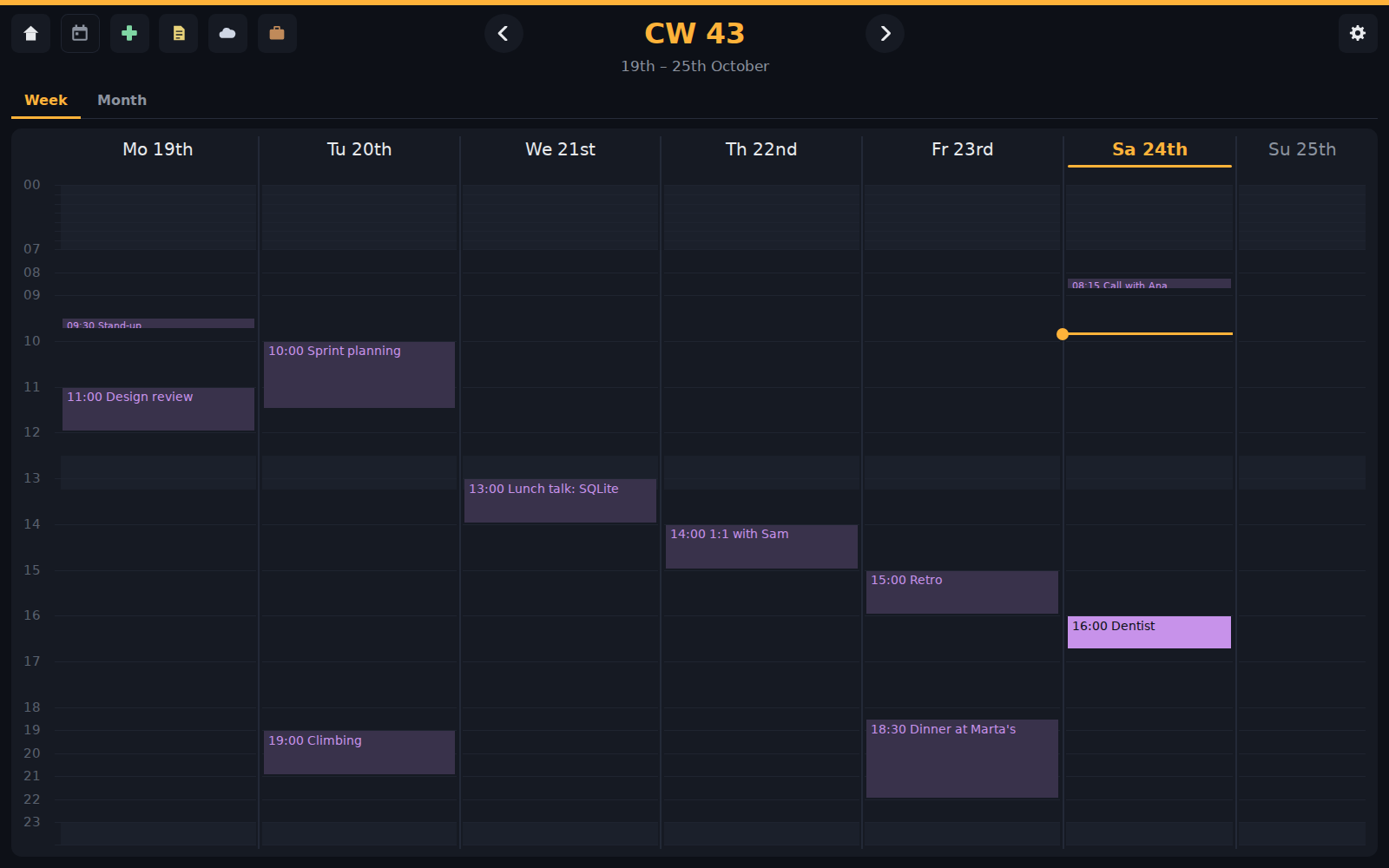 | 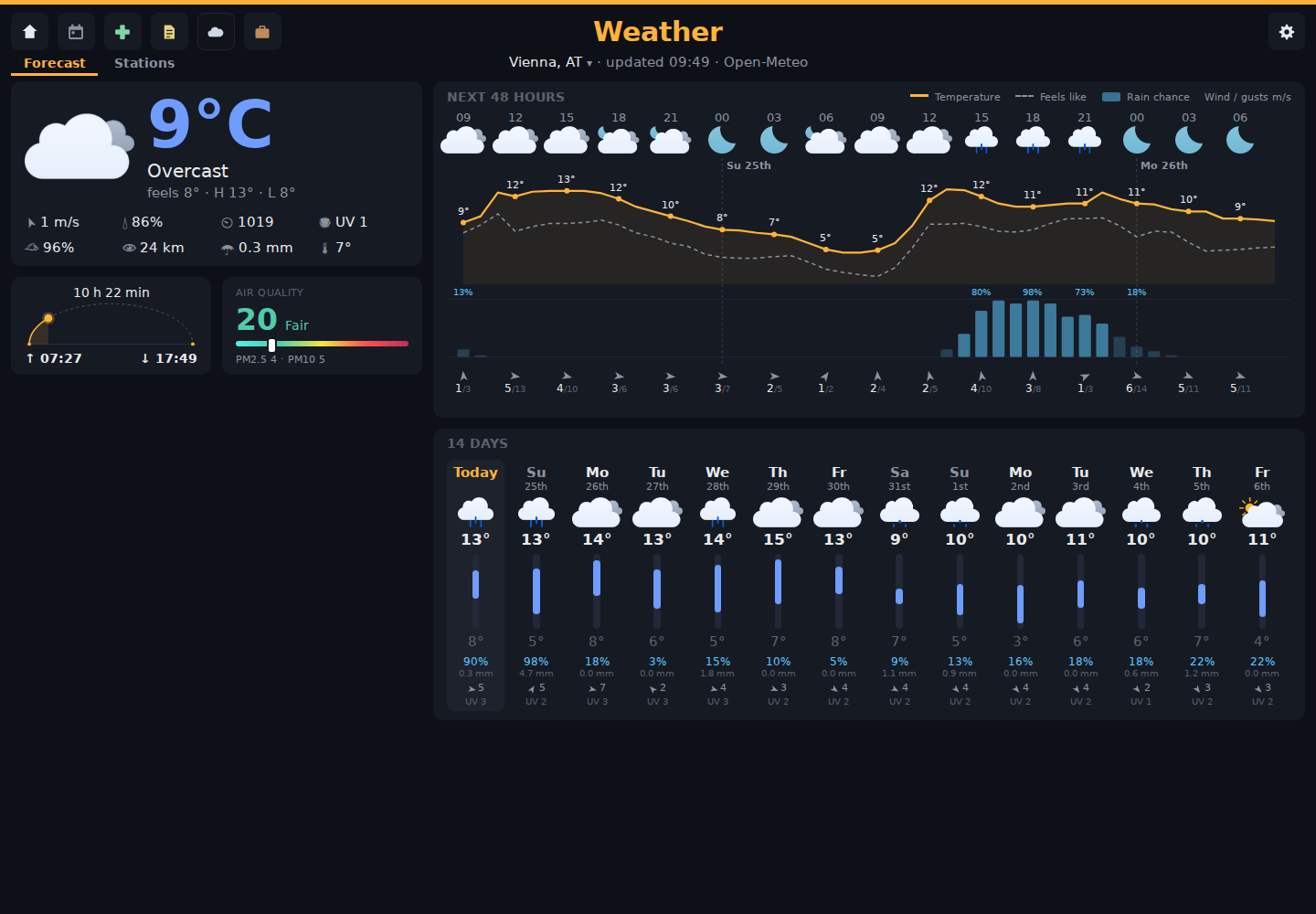 |
| **Week:** calendar events in a week or month view | **Weather:** 48 hours, 14 days, air quality, more places |
| 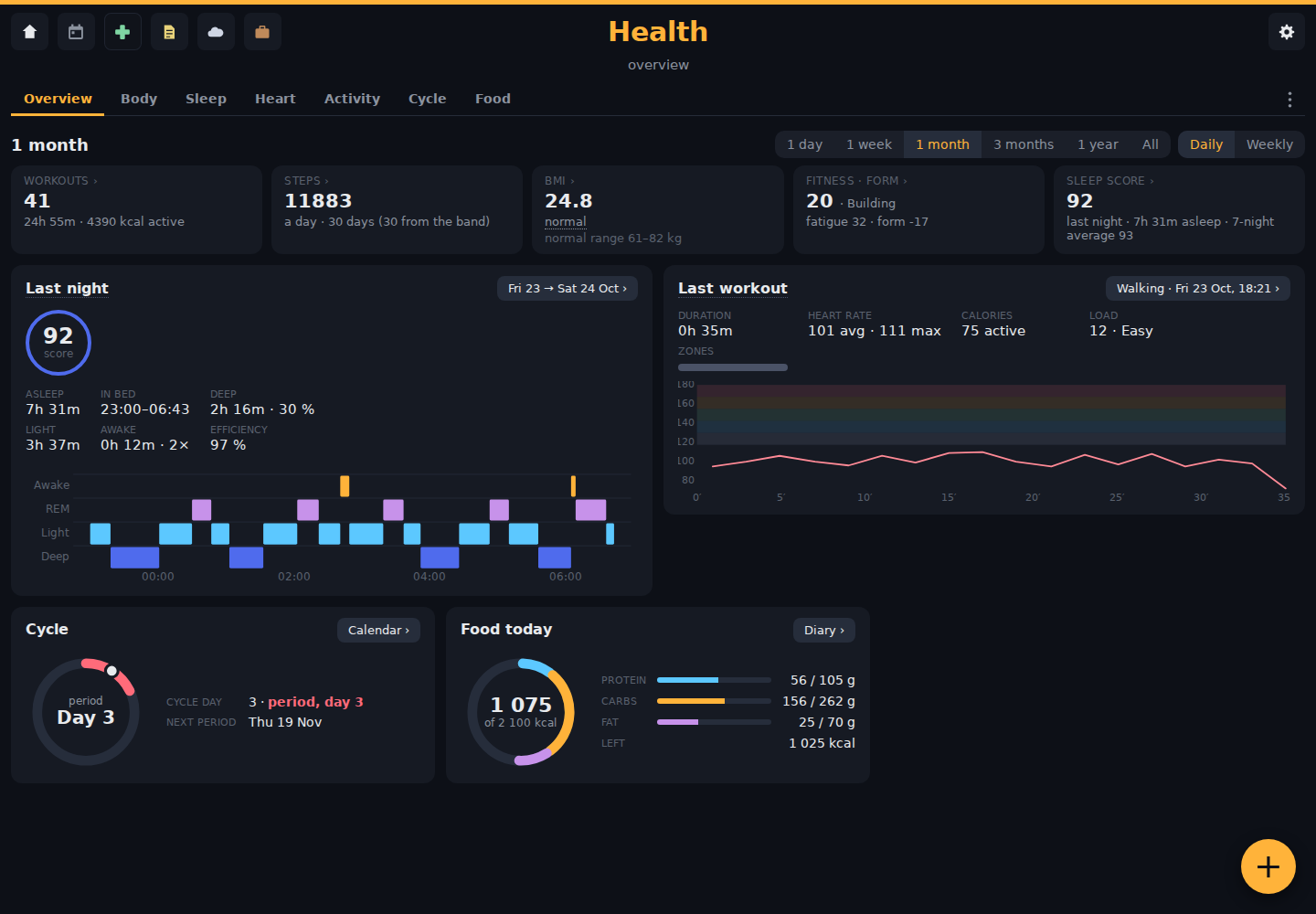 | 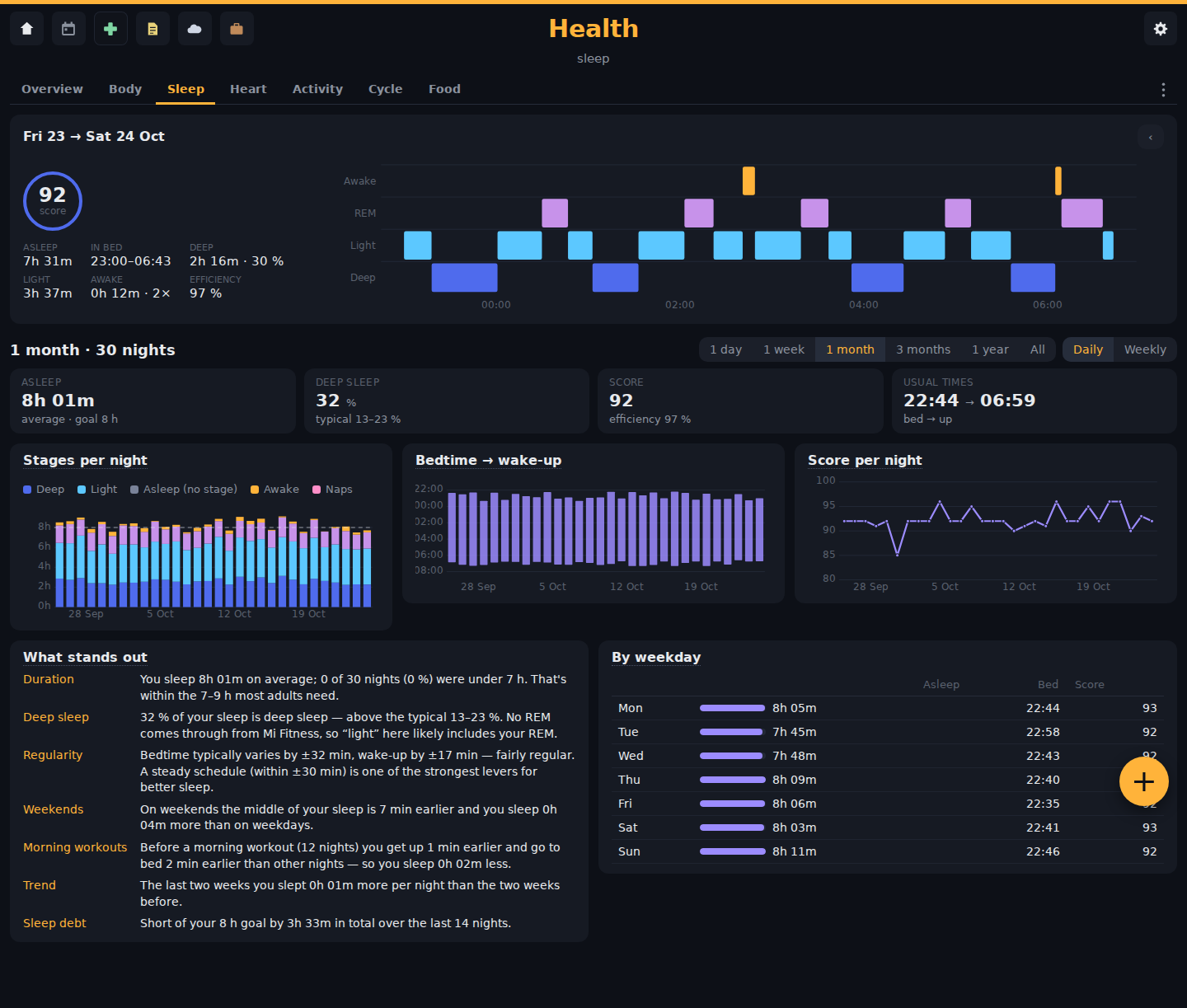 |
| **Health:** steps, BMI, sleep, workouts, cycle, food at a glance | **Sleep:** stages per night, regularity, what stands out |
| 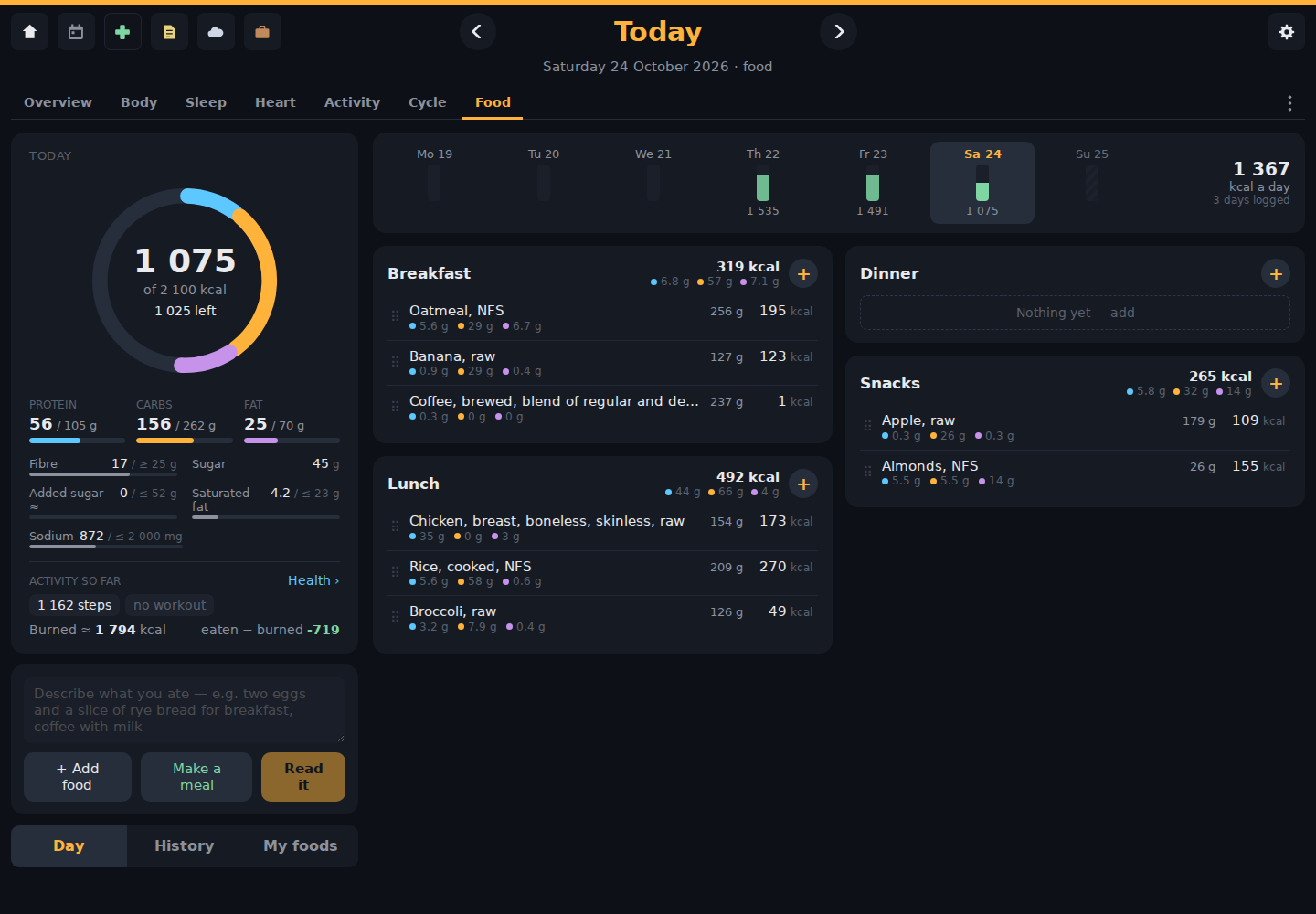 | 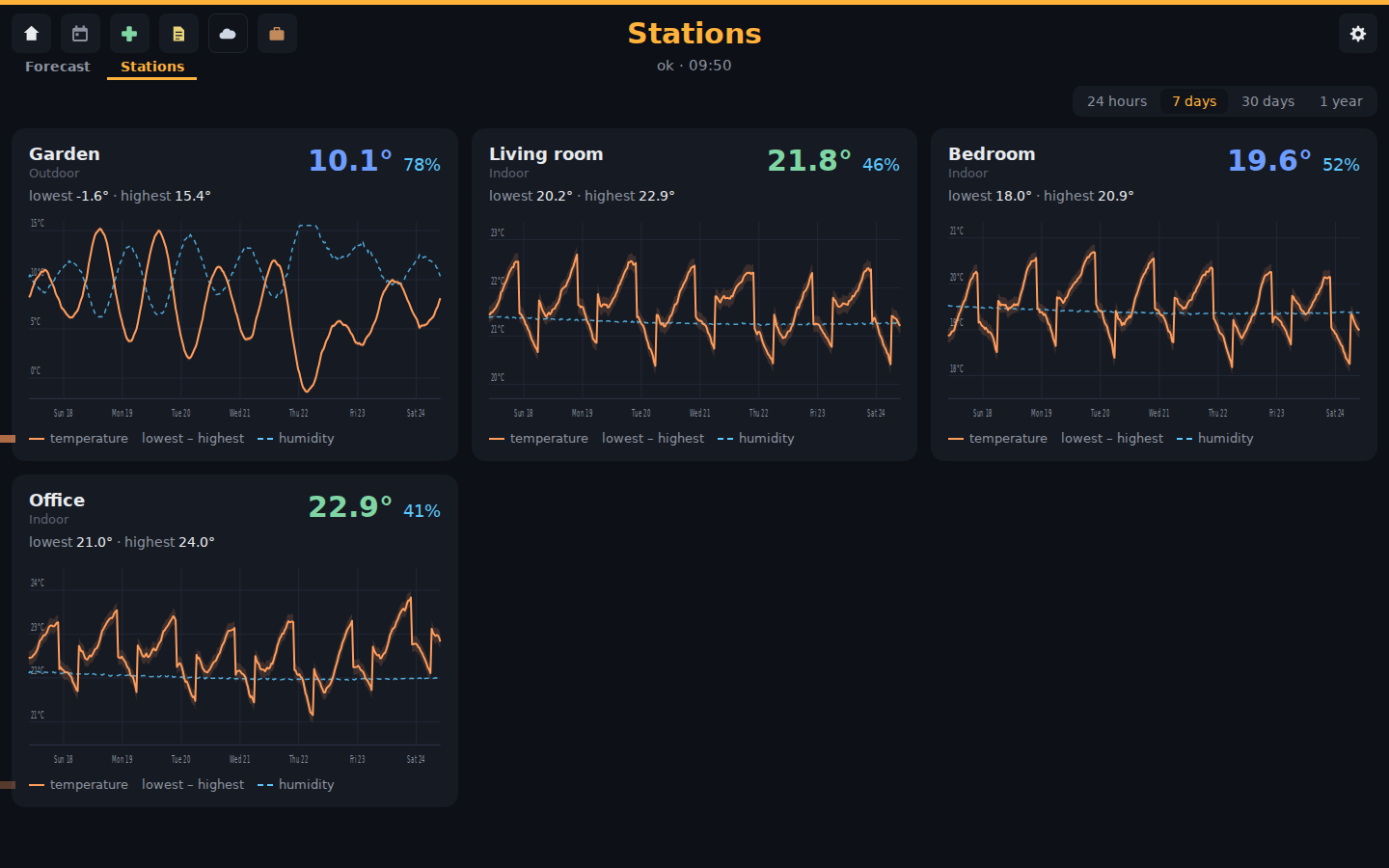 |
| **Food:** a diary from the food database, targets, nutrients | **Stations:** each sensor's history, 24 hours to a year |
| 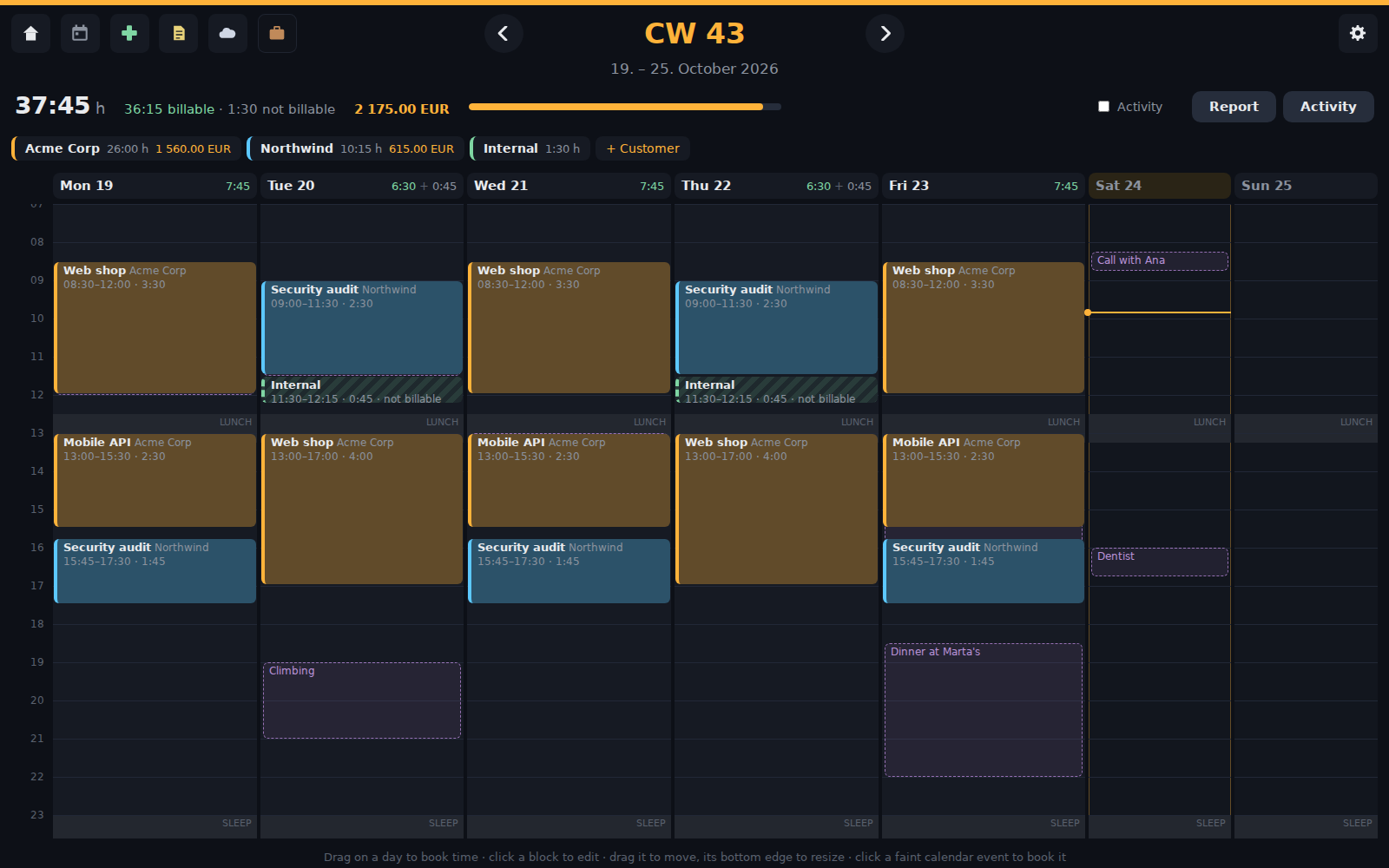 | 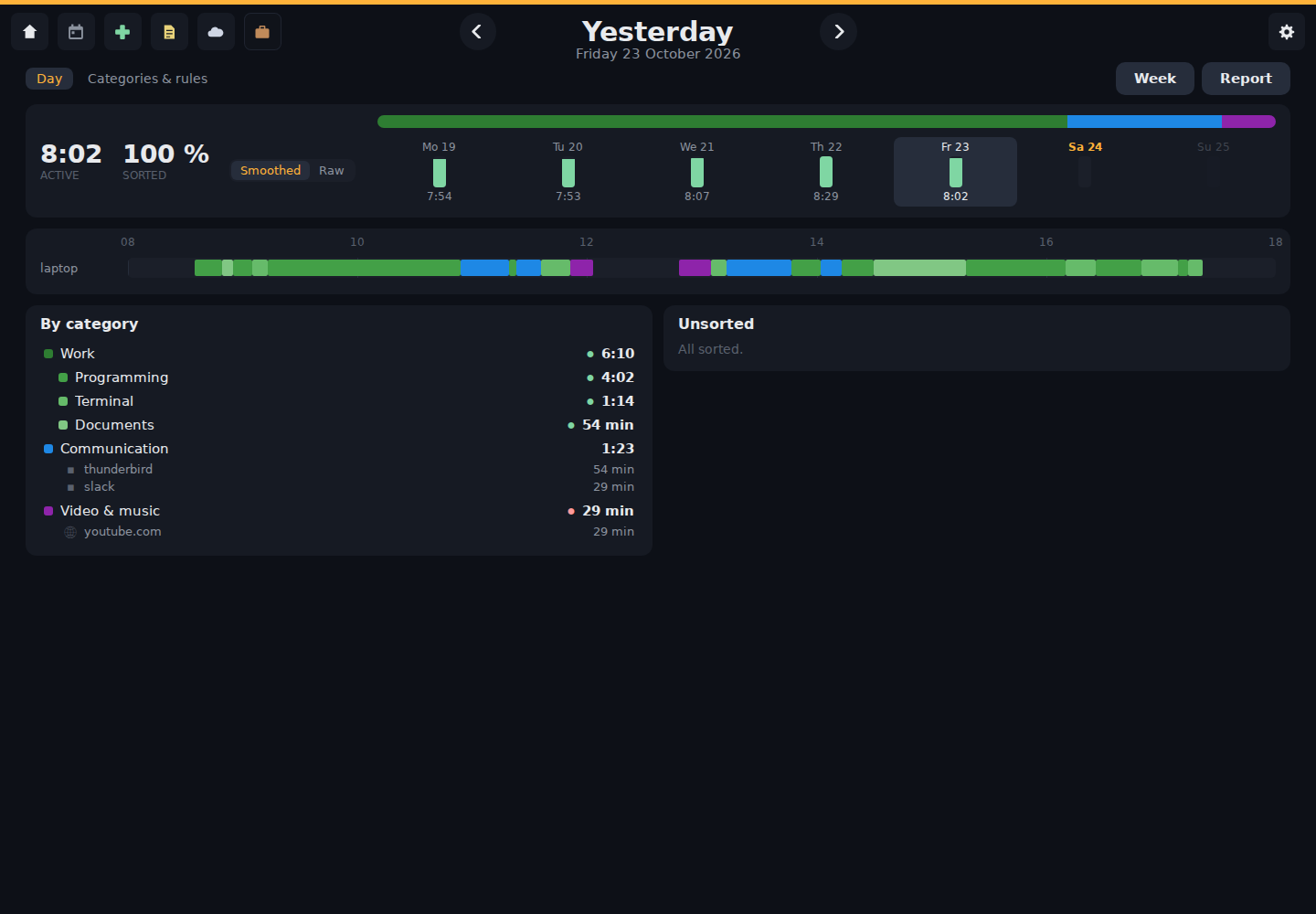 |
| **Work:** drag to book time, billable or not, a report | **Activity:** your computers' time, sorted into categories |
| 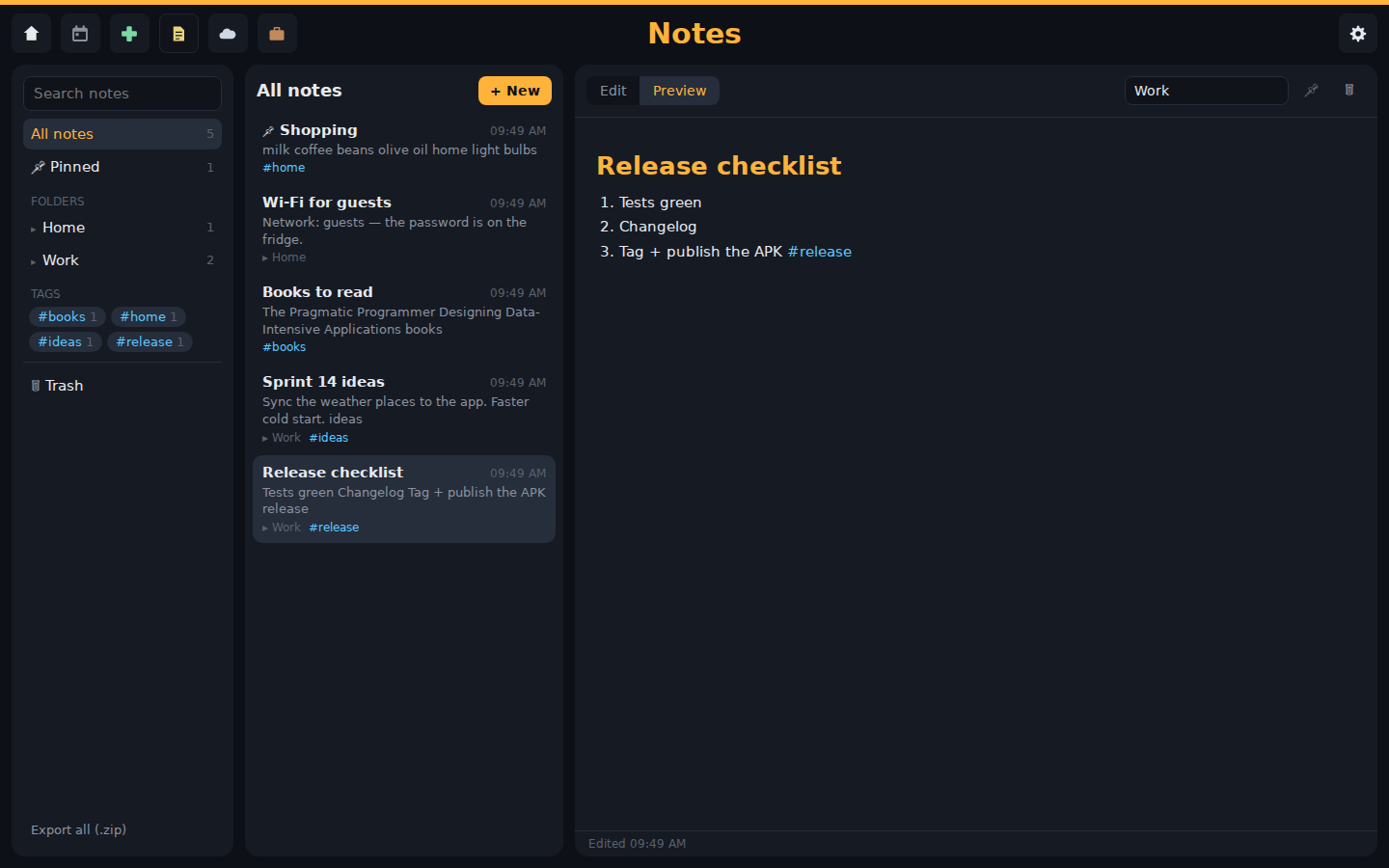 | 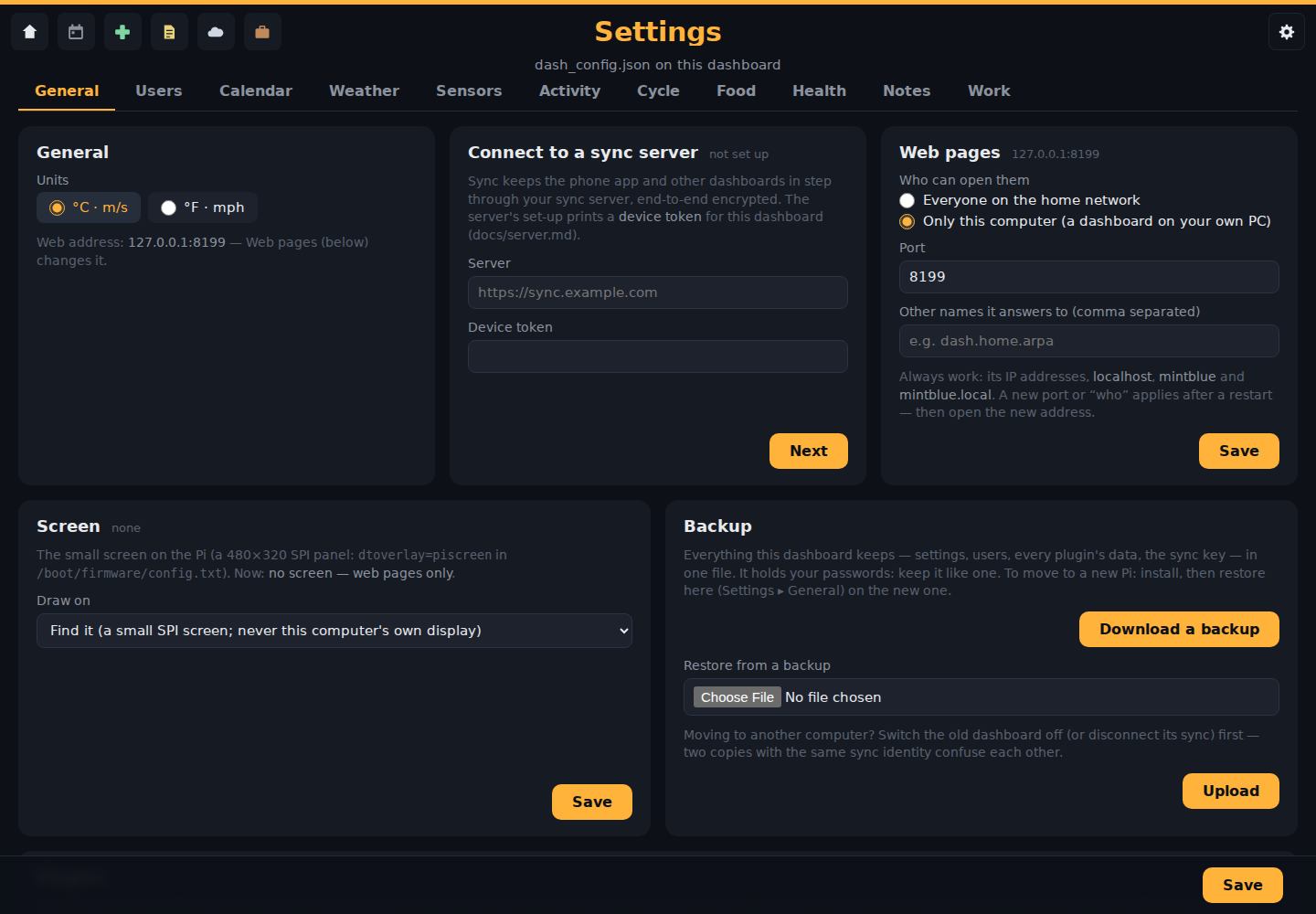 |
| **Notes:** Markdown, folders, tags, checklists | **Settings:** everything is set up in the browser |
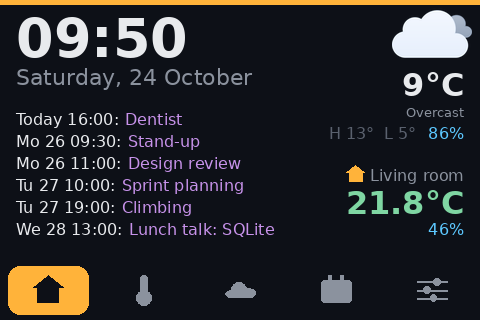
The 3.5" screen on the Pi (Home, sensors, weather, calendar):
 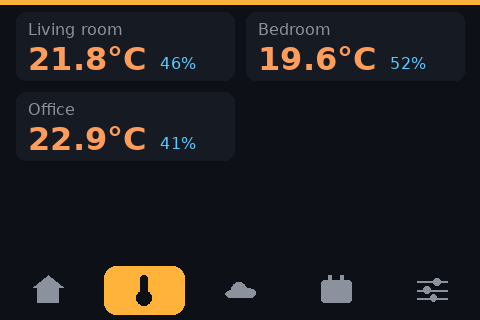
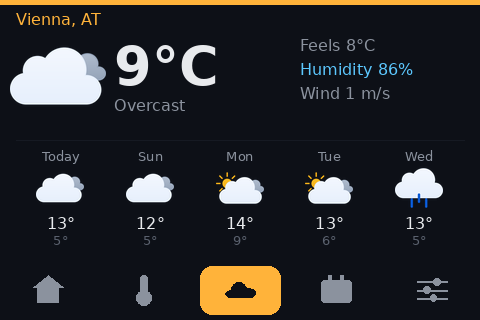 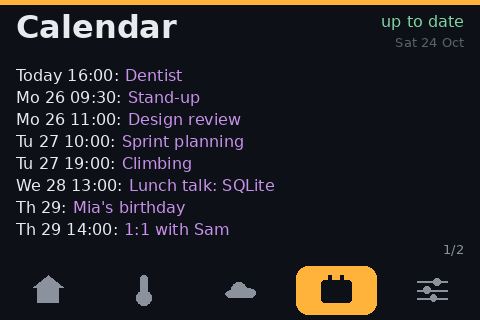
The phone app (Health, Food, Work, Notes, Weather):
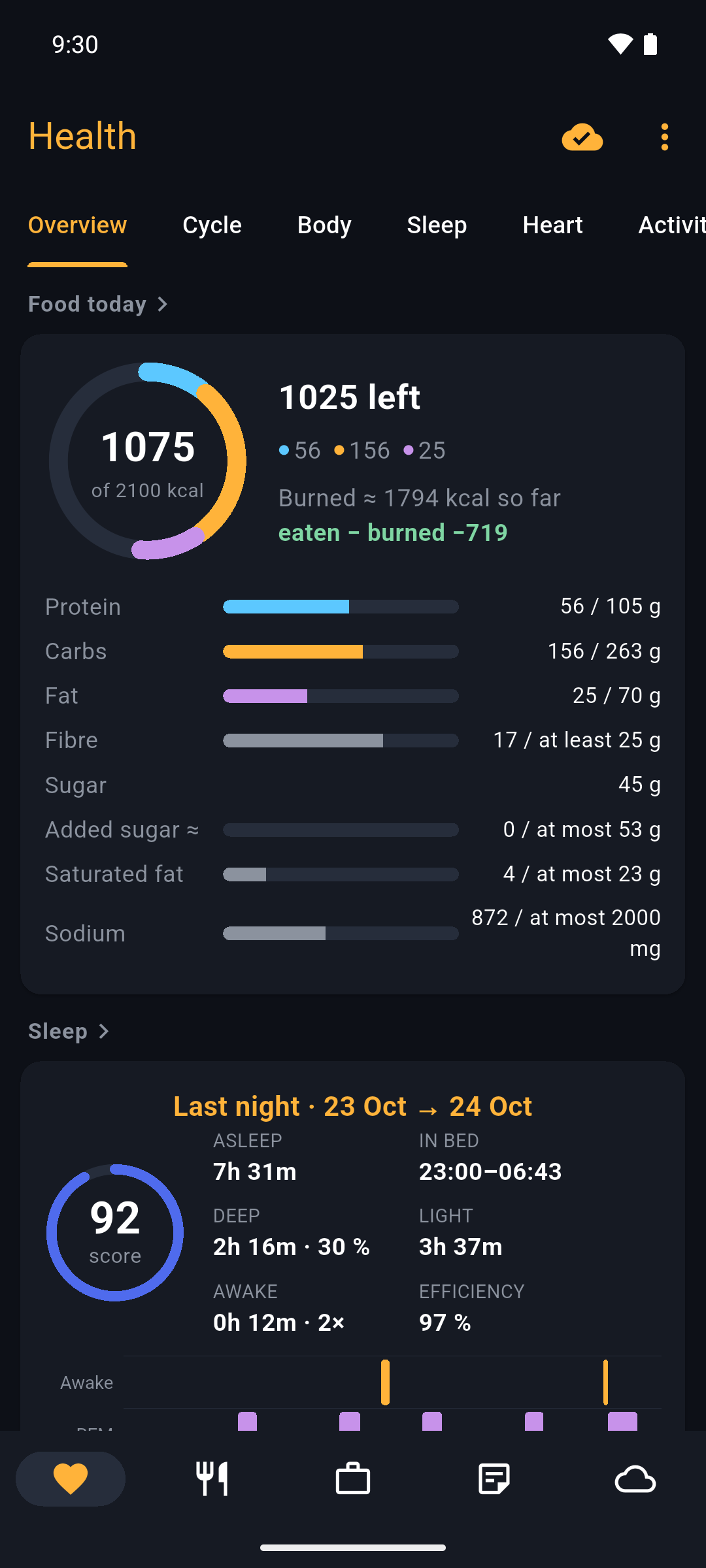
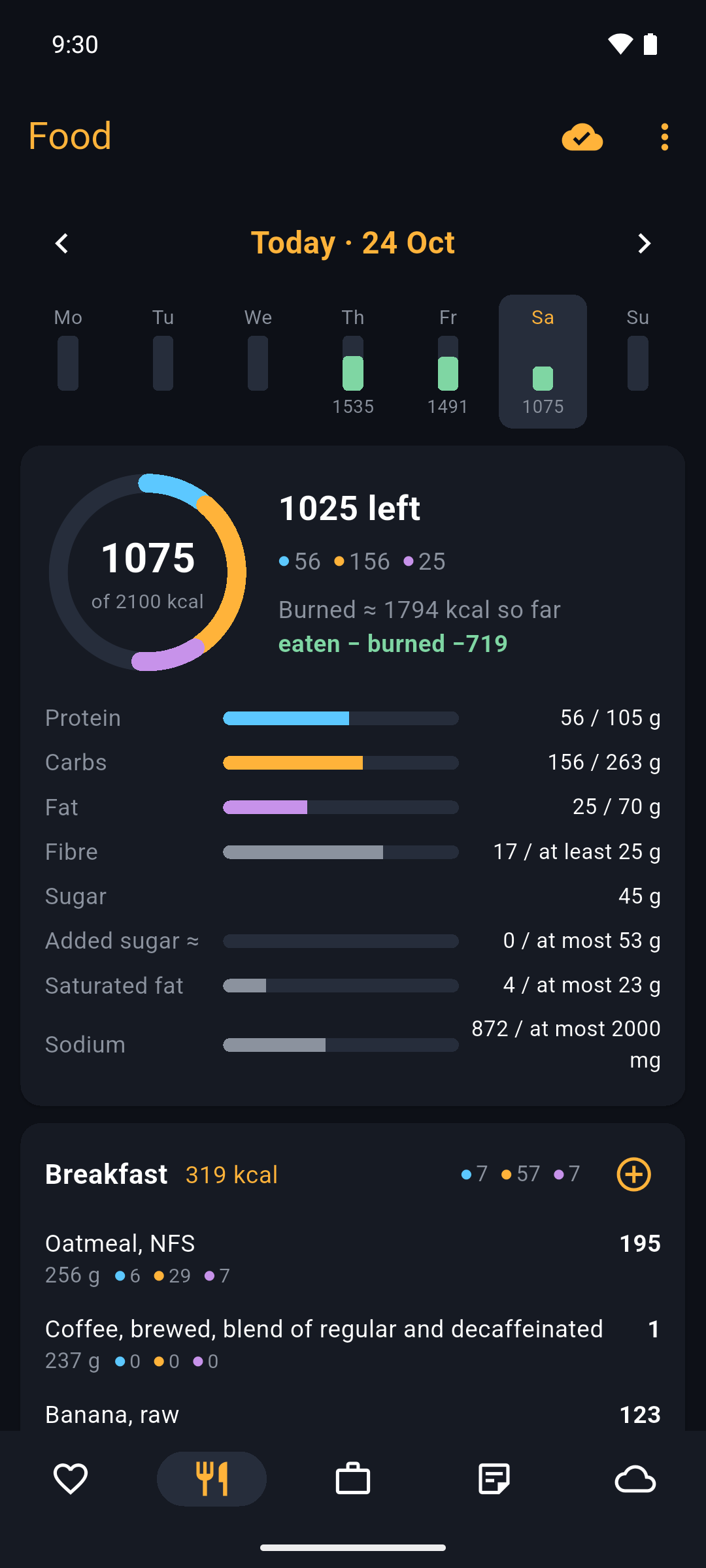
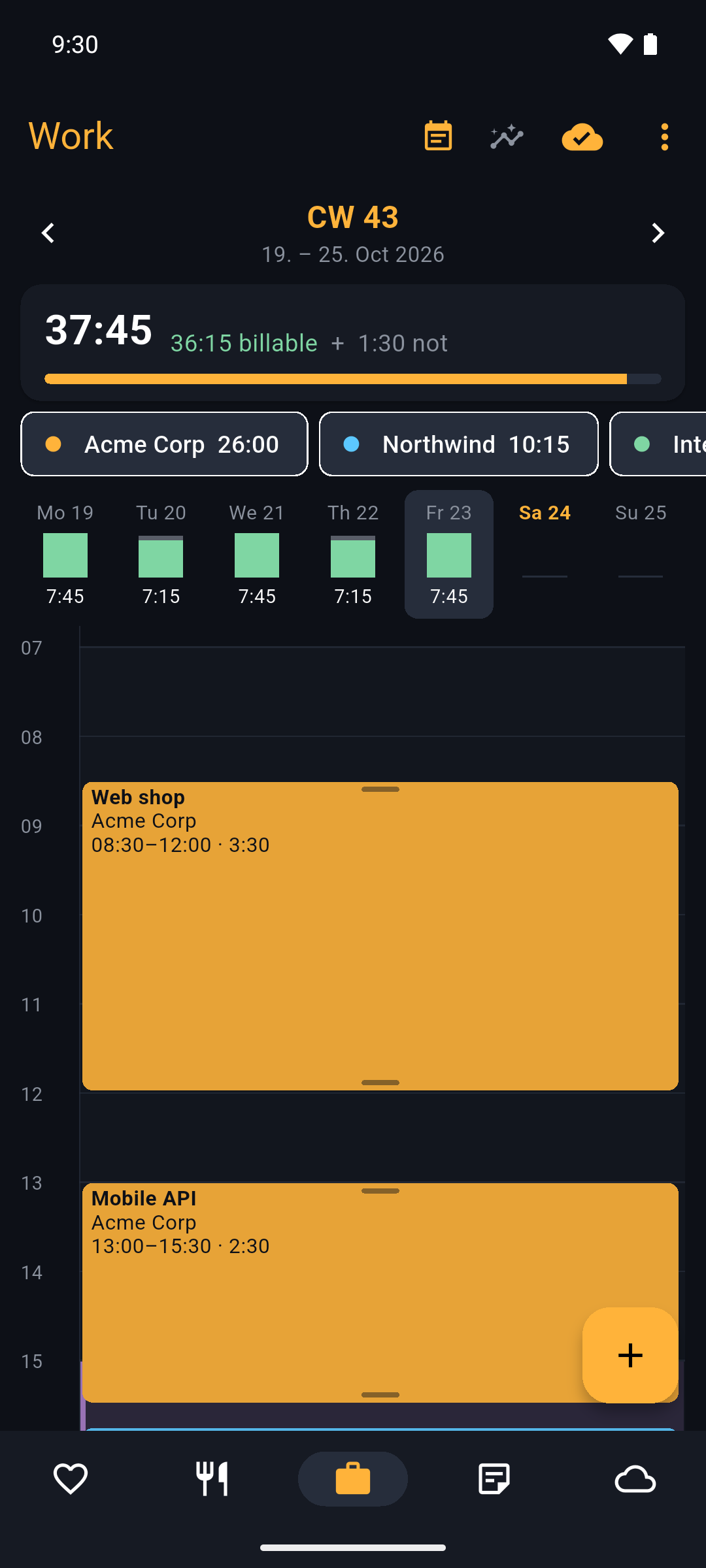
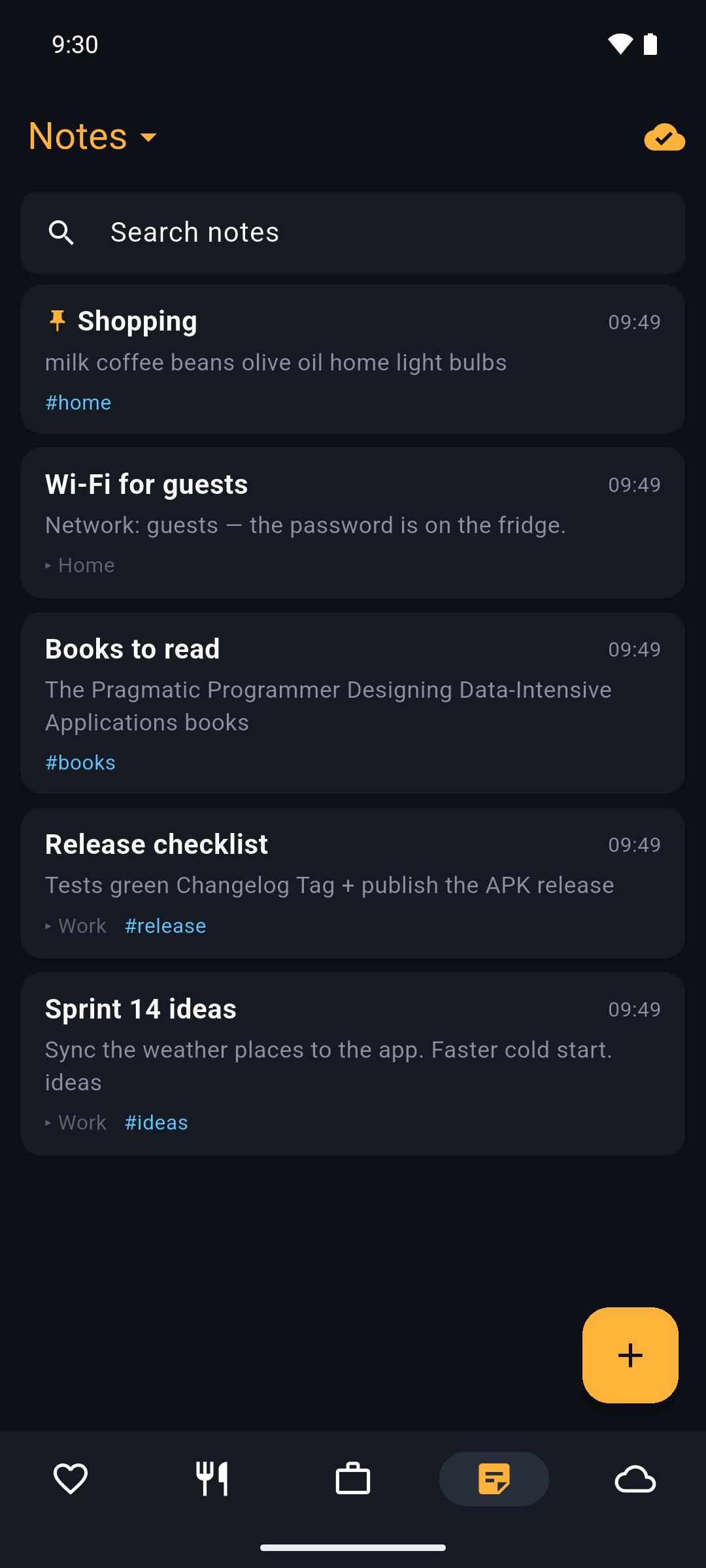
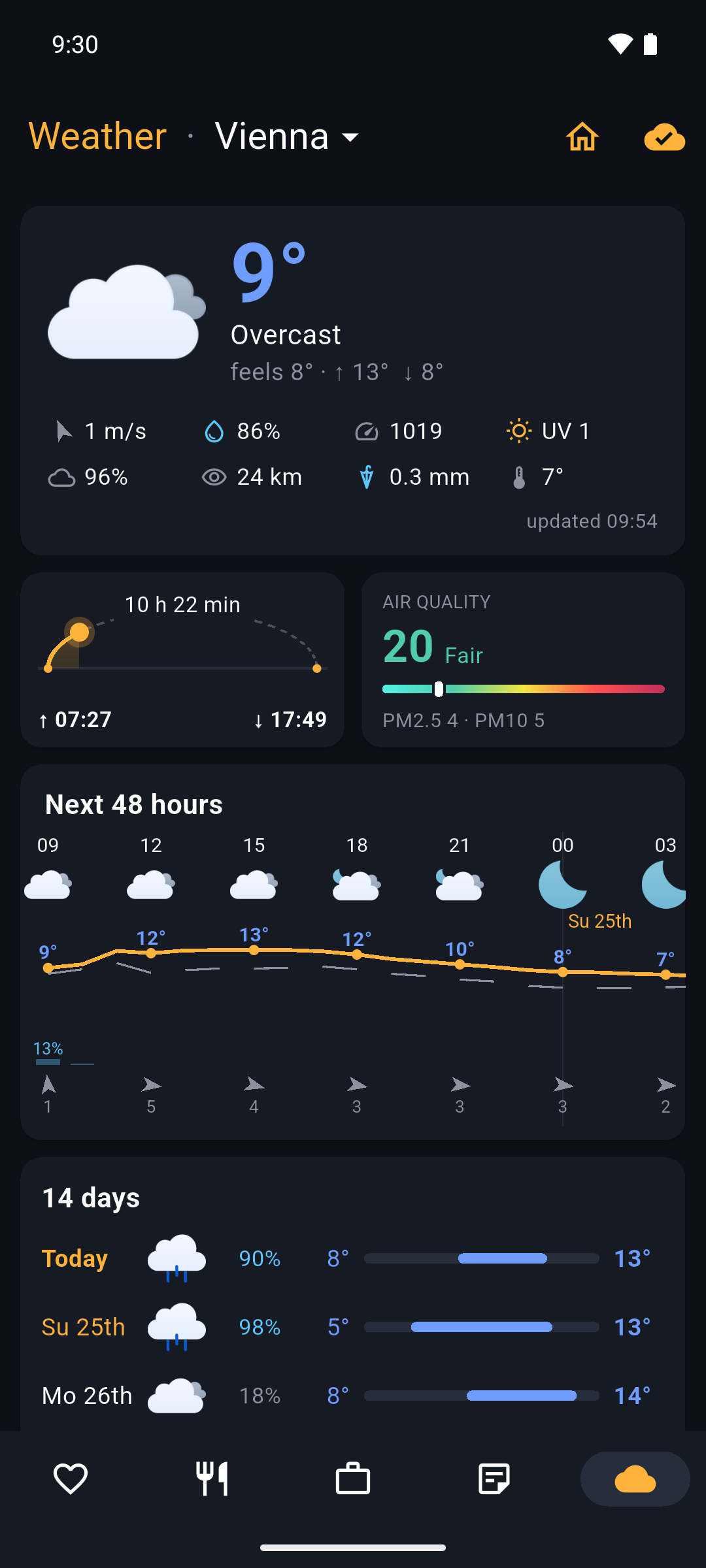 The pictures come from a demo with made-up data: [docs/screenshots/make.py](docs/screenshots/make.py) builds
it and takes the dashboard's, [docs/screenshots/app.py](docs/screenshots/app.py) the app's on an emulator.
## The parts
| Folder | What | Runs on |
|---|---|---|
| [`dashboard/`](dashboard/) | The dashboard: Python, Pillow straight to the framebuffer, Flask web pages, plugins | Raspberry Pi, or any Linux machine (web pages only) |
| [`server/`](server/) | The sync mailbox: PHP + SQLite, stores only encrypted batches | Any web host with PHP 8.1+ and HTTPS |
| [`app/`](app/) | The phone app: Flutter, Android | Your phone |
You don't need all three: the dashboard works on its own. The server and app are only for syncing with
a phone, or between dashboards.
## Set up
1. **Dashboard** ([dashboard/](dashboard/README.md), [docs/dashboard.md](docs/dashboard.md)):
`sudo ./dashboard/install.sh` on the Pi, then open `http://:8080/settings`.
2. **Sync server** (optional; [server/](server/README.md), [docs/server.md](docs/server.md)): copy
`server/` to your host and run `bin/setup-server.sh `. Paste the token it prints into
the dashboard's Settings ▸ General ▸ Sync.
3. **Phone app** (optional; [app/](app/README.md), [docs/app.md](docs/app.md)): build it, then scan the
QR code from the dashboard's Settings ▸ General ▸ Devices.
After installing, everything is set from the dashboard's Settings page: users, sync and devices, web
access, the screen, sensors, calendars, backup and restore.
How it fits together: [docs/architecture.md](docs/architecture.md). The sync protocol:
[server/PROTOCOL.md](server/PROTOCOL.md).
## Security in one paragraph
The dashboard is made for a home network. It serves plain HTTP and only answers to its own names and IP
addresses (against DNS rebinding). Until you create the admin account, everyone on the network is admin;
creating it needs a setup code from the service log. Without a login, visitors get a read-only
"household" view whose content you choose. Members are logins that can see only some sections, but they
share the owner's data in those sections; they are not separate accounts. Read [SECURITY.md](SECURITY.md)
before exposing anything beyond your LAN.
## License
[AGPL-3.0](LICENSE). The bundled food database includes data from USDA FoodData Central (public domain)
and Open Food Facts (ODbL); see [NOTICE.md](NOTICE.md).